
· 7 min read
How appointment booking works on WhatsApp
The exact conversation Shayopra ships for clinics and local businesses: Book, My visits, Cancel, then 24-hour and 2-hour reminders plus a next-day follow-up.
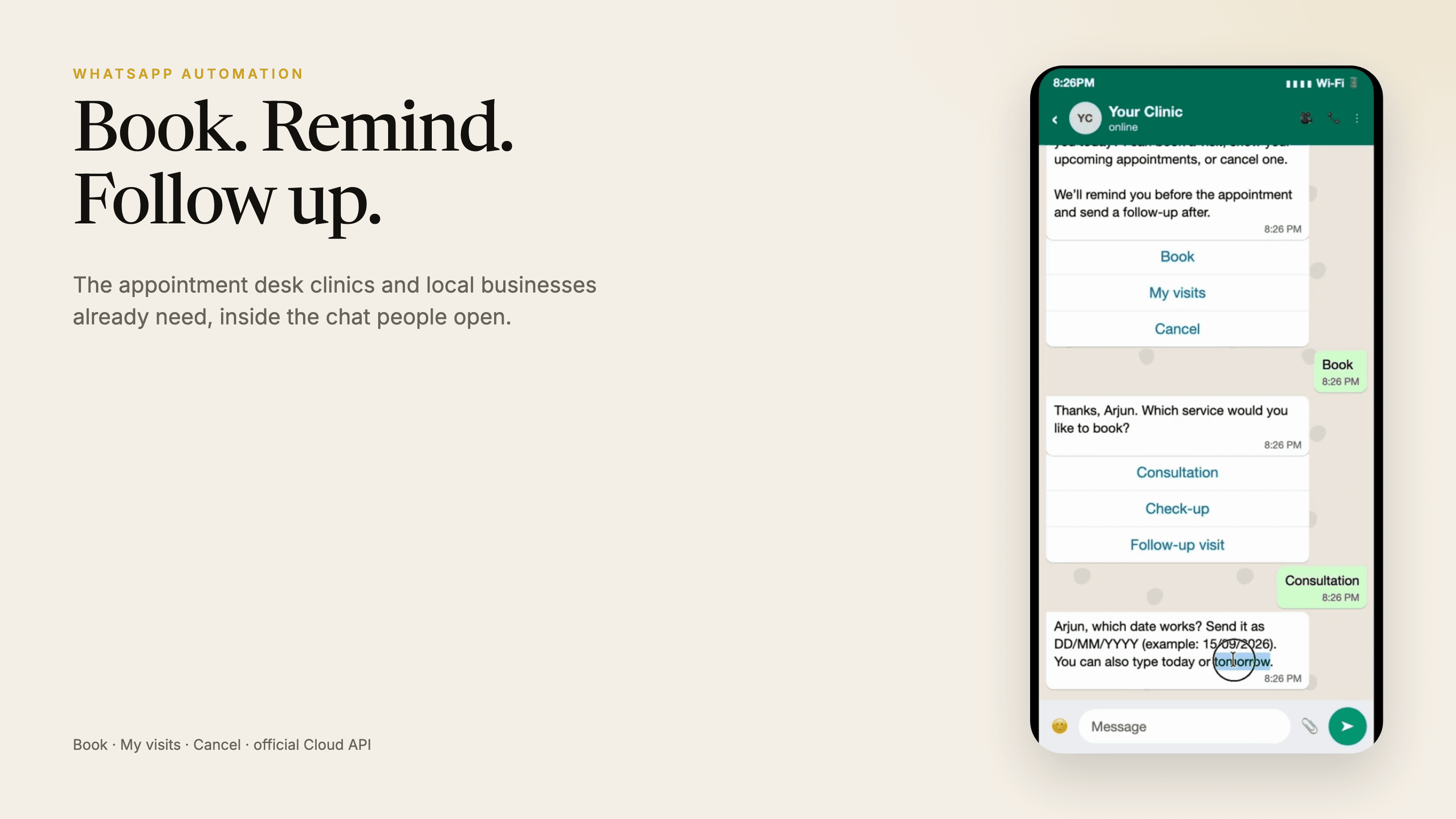
People already message the salon, the clinic, the trainer. The expensive version of that inbox is a person with a phone who forgets to confirm, forgets to remind, and never follows up the next day.
The appointment desk we built answers that with three buttons: Book, My visits, and Cancel. A new number is asked for a name. Booking then collects the service, the date as DD/MM/YYYY, and a free slot generated from the shop’s working hours. The default timezone is Asia/Kolkata because that is where most of the businesses we design for actually sit.
When a visit is saved, the scheduler queues three messages. A reminder 24 hours before. A reminder two hours before. After the visit, a follow-up that asks whether they want to book again. That last one is how a one-off haircut becomes a returning customer without a marketing blast.
WhatsApp only allows free-form replies for 24 hours after the customer writes in. Reminders often fall outside that window, so the bot uses Meta templates (name, service, date and time) and falls back to ordinary text when the customer is still in session or a template is missing.
Until a Cloud API token is connected, the same conversation engine runs on a dashboard that looks like WhatsApp. Staff can book a test visit on the left and see it appear in the bookings panel on the right. Then you point Meta’s webhook at /webhook, subscribe to messages, and the phone becomes the real inbox.
This is the product to copy if you run healthcare, beauty, fitness, or any local diary. It is not a WhatsApp Web scraper. Unofficial clients get numbers banned. Official Cloud API, templates, and a human-readable bookings list is the version that lasts.