
· 7 min read
How to build an AI image & video generation app (iOS, Node.js, GCP)
Shipping AI media apps: multi-model integrations (OpenAI, Kling, Seedance), Node.js APIs, Firebase, admin dashboards, subscriptions, and Google Cloud: what to plan before the demo.
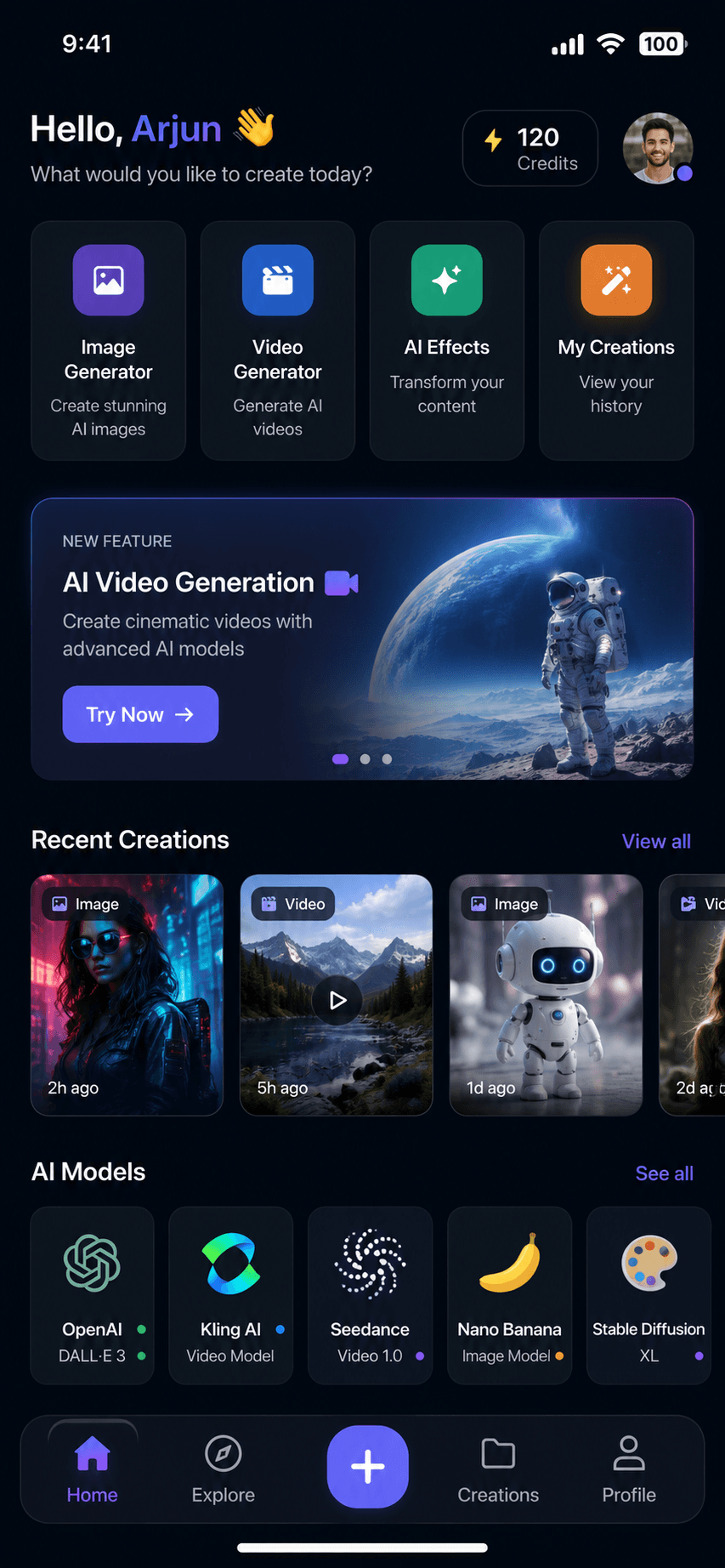
Founders rush to wire DALL·E or a video API into a demo, then hit the wall: auth, quotas, async jobs, storage costs, moderation, and an admin view for support. A production AI image and video app needs a mobile surface people will use, APIs that orchestrate multiple models, and cloud infrastructure that survives real traffic.
Strong architectures treat each provider (OpenAI, Kling AI, Seedance, Nano Banana, or the next model) as an adapter behind one job queue. The app submits a generation request. The backend validates the user, checks subscription credits, enqueues work, stores assets in object storage, and notifies the client when rendering finishes. That pattern keeps slow video tasks off HTTP timeouts and lets you swap vendors without rewriting the iOS app.
Firebase Auth and Firestore (or a managed database on GCP) handle accounts and history. An admin panel for users, content review, and analytics saves weeks when something goes wrong in production. Pair StoreKit or Stripe with server-side entitlement checks so free tiers cannot be bypassed.
The deliverable is an App Store–ready app plus ops tooling, not a Figma mock. Documentation, event logging, and cost dashboards should ship with v1.
Shayopra has shipped this stack end to end: mobile app, Node.js REST layer, multi-provider AI workflows, Firebase, GCP, subscriptions, and store launch. If you are scoping a similar product, start with one generation flow, one paywall, and one admin screen, then expand models once unit economics are clear.